


HR / Internship Enquiry
+91 9150222779
.webp)

The licence costs the same.
What comes with it doesn't.
You can sign up for Zoho Books on Zoho's website in about four minutes, and for a freelancer invoicing in one country that is a perfectly sensible thing to do.
Here is what changes when the licence sits with a partner.
.webp)
The price is identical.
Zoho sets it. We cannot mark it up and we are not allowed to discount below Zoho's published rate. What you are choosing is who is attached to the account.
.webp)
The right edition, before you pay.
This matters more on Zoho Books than on almost any other Zoho product, because the compliance features differ by country edition.
Getting this wrong is not a settings change. It is a migration.
.webp)
The right plan, not the biggest one.
Zoho Books is priced per organisation rather than per user, across several tiers, and the features that decide your tier are usually inventory, projects. custom modules and automation depth. We will tell you when the cheaper plan does everything you need.
.webp)
A named consultant
instead of a support queue.
When something breaks in a filing week, that is the difference.
.webp)
A straight answer on Zoho One.
If you will also use CRM, Inventory, Payroll and People, the all-app bundle frequently costs less than the standalone licences added together. We run both numbers, even when the bundle means we sell you fewer seats.
→ Zoho One
.webp)
Renewals and user changes by email, not by form.
Simple, quick and handled by your consultant.

Two things worth knowing before you pick one.

The Global edition is not a shortcut.
It exists for businesses operating across borders without a single home tax regime. If you file in India or the UAE, the country edition is what you want, and choosing Global instead means doing your compliance manually.
You generally cannot switch editions later without a migration.
This is the single most common expensive mistake we correct, and it is exactly what a fifteen-minute conversation before you subscribe prevents. If you are still deciding which Zoho products you need at all, start with Zoho consulting instead.
Everything you need to keep business moving
Anyone can create mailboxes. The value is in the records nobody looks at until something bounces.
Money coming in
Quotes and estimates, professional invoices, recurring invoices, automated payment reminders, online payment links through multiple gateways, retainer invoices, credit notes, and early payment discounts.
Money going out
Vendor bills, purchase orders, recurring expenses, expense capture with receipts, and client expenses billed straight onto an invoice rather than remembered later.
Banking
Bank feeds, automatic categorisation and reconciliation workflows that turn a two-day month-end job into an hour.
Inventory
Stock tracking that updates as you buy and sell, with reorder points and low-stock reminders. Enough for most businesses; when it is not, Zoho Inventory takes over on the same data.
Projects
Project quotes, time logs, billable hours, budgets, and billing by resource, milestone, time or expense. Useful for anyone selling work rather than goods.
Reporting
P&L, balance sheet, cash flow, tax reports, sales and receivables ageing, scheduled to your inbox if you want them. Plus a full audit trail that logs every edit, entry and deletion, which is the report you will care about most during an audit.
Al in accounting
Zia answers questions about your books in plain language, flags anomalies before they compound, and helps automate collections chasing. Where you want Al doing more than Zia covers, that is a separate conversation.
Automation and customisation
Workflow rules, triggered emails and alerts, scheduled actions, field updates, custom templates, custom fields and custom reports.
Collaboration
User roles and permissions so your team and your accountant each see only what they should, plus customer and vendor portals where clients settle invoices and suppliers track POs without emailing anyone.

Zoho Books for India - GST, e-invoicing, e-way bills and TDS, configured properly
India is where Zoho Books is most mature. It is an Indian product built for the world's fourth most complex tax compliance regime, and businesses here spend an average of around 254 hours a year on tax compliance. Most of that is recoverable with the right setup.
Here is what the India edition covers and what we configure.

GST, end to end
From invoicing to filing, every part of GST, configured for your business.
.webp)
GST-compliant invoicing
With automatic CGST/SGST/IGST calculation driven by place-of-supply rules, so an inter-state sale is treated correctly without anyone thinking about it.
.webp)
GSTR-1 and GSTR-3B
Prepared from your actual transactions rather than assembled in a spreadsheet at the deadline. Invoices feed GSTR-1; purchase bills feed GSTR-3B ITC claims.
.webp)
GSTR-2B reconciliation
GSTN data flows back into Zoho Books so you can match your input tax credit claims against what your suppliers actually reported. This is the step most businesses skip, and it is the one that produces ITC demand notices later.
.webp)
A GST filing approval workflow
So returns are reviewed by your accountant or finance head before they go to the GSTN. You can set multiple approvers. This one setting has prevented more accidental filings than any other.
.webp)
Multi-GSTIN
Through the Branches feature, with each branch carrying its own GSTIN and transactions tagged at entry.
Returns are prepared per GSTIN, and if you need consolidated tax liability and ITC across all of them, that is a Zoho Analytics dashboard we build.
.webp)
Reverse charge (RCM)
Tracked automatically on purchases from unregistered vendors for notified goods and services, landing correctly in your GSTR-3B liability.
.webp)
HSN and SAC codes
Mapped across your items and services. Sounds administrative. A missing HSN code breaks the e-invoicing chain entirely.
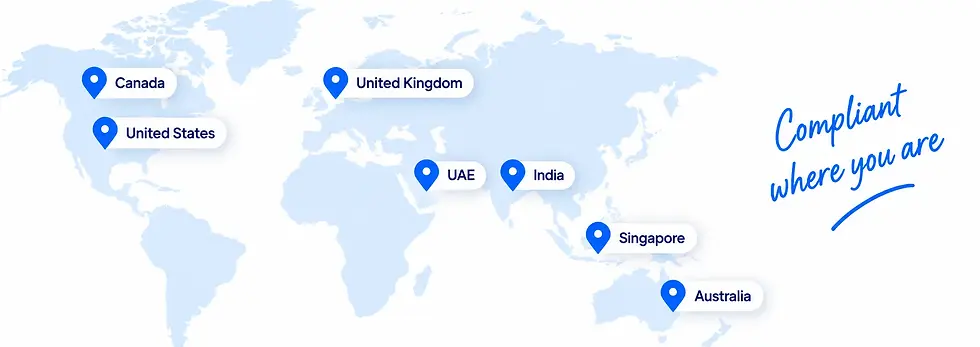
Local compliance.
Global possibilities.
From tax to e-invoicing, Zoho Books is built to support your business wherever you operate.
.webp)
India
GST, e-invoicing via IRP, e-way bills, TDS/TCS
.webp)
United Arab Emirates
VAT 5%, corporate tax, FTA-accredited, e-invoicing readiness
.webp)
Saudi Arabia
VAT, ZATCA Phase 2 e-invoicing to Fatoora, local Saudi data residency
.webp)
Bahrain
VAT
.webp)
Kuwait
Local tax handling

Oman
VAT

Oman
VAT

Oman
VAT

Oman
VAT

Oman
VAT

Oman
VAT

Oman
VAT

Oman
VAT

Oman
VAT

Oman
VAT

Oman
VAT

Oman
VAT

E-invoicing and e-way bills
Direct integration with government portals, right from Zoho Books.

E-invoicing through the IRP
Invoices pushed directly to the Invoice Registration Portal for IRN generation and digital signing, then synced through to the GST portal, with Zoho Corporation acting as your GSP.

E-way bills through the NIC portal
For goods movements above 750,000, generated from the invoice screen itself. Transporter details, vehicle number and distance auto-populate.
Nobody re-keys anything on a government portal.
TDS and TCS
Stay compliant, without the year-end rush.
TDS and TCS, end to end
Automatic TDS deduction on vendor bills by section, Form 16A generation, TDS return preparation, and TCS where it applies. It flows through to Form 26AS via TRACES.
Payroll TDS, aligned
If you also run payroll in India, salary TDS sits in a different system and the two have to reconcile at year end. We implement both, so the handover is ours rather than yours.
Zoho Books for the UAE - VAT, corporate tax, and a straight answer on e-invoicing
We are a Zoho Premium Partner based in Dubai, so UAE configuration is work we do weekly rather than accasionally.

VAT
Zoho Books is FTA-accredited and the UAE edition is built around the local regime: VAT-compliant tax invoices carrying your TRN. automatic 5% calculation, AED as your base currency, and Arabic alongside English.
VAT 201 returns generate automatically from your transactions, along with VAT detail reports, tax summaries, reverse charge reports and audit files. Amendments to filed returns go through Voluntary Disclosures, which Zoho Books supports.
Free zone versus mainland matters and gets configured accordingly.
These are not the same setup and treating them as one is a common and expensive shortcut.


Corporate tax
Corporate tax arrived in 2023 and changed what UAE accounting software has to do. Zoho Books structures your books for corporate tax obligations, generates the returns for filing through the EmaraTax portal off the same underlying transaction data as your VAT, and flags Small Business Relief eligibility, switching to simplified reporting where you qualify.
Every edit, entry and deletion is logged in the audit trail. During an FTA review that is the thing you will be glad you had.
E-invoicing - where things actually stand
This is where we will give you a more useful answer than most.
The UAE is rolling out mandatory e-invoicing in phases under the Electronic Invoicing System, set out in Ministerial Decisions 243 and 244 of 2025. The framework uses the PINT AE data standard, built on UBL. 2.1, and requires transmission over the Peppol network through an Accredited Service Provider (ASP), with reporting to the Federal Tax Authority, B2B and B2G transactions are in scope; B2C is not, for now.


What this means for you practically
Your finance team keeps raising invoices in Zoho Books exactly as they do now, and the ASP handles conversion, transmission and FTA reporting in the background. The work is in the field mapping and the connection, and it is work we scope and do.
If anyone tells you a platform is already fully UAE e-invoicing compliant end to end, ask them which ASP they are using.
If your revenue is above AED 50 million, your ASP appointment deadline has already passed or is close, and the mandate starts in January 2027.
That is a scoping conversation worth having now rather than in the fourth quarter.
(Talk to us about your e-invoicing path]
Looking for accounting software in Dubai?
If you are comparing accounting software for a Dubai or wider UAE business, the real question is not features. It is whether the platform is FTA-accredited. whether corporate tax and VAT run off one dataset, and what your e-invoicing
pat looks like betore zuct. e wil walk you through all three, and it zone books is not the right answer for your case we will say so.
Most UAE clients end up running more than accounting with us - Zoho Payroll for WPS and gratuity. Zoho CRM for the sales side, often on a Zohe One licence rather than separate subscriptions.

Zoho Books for
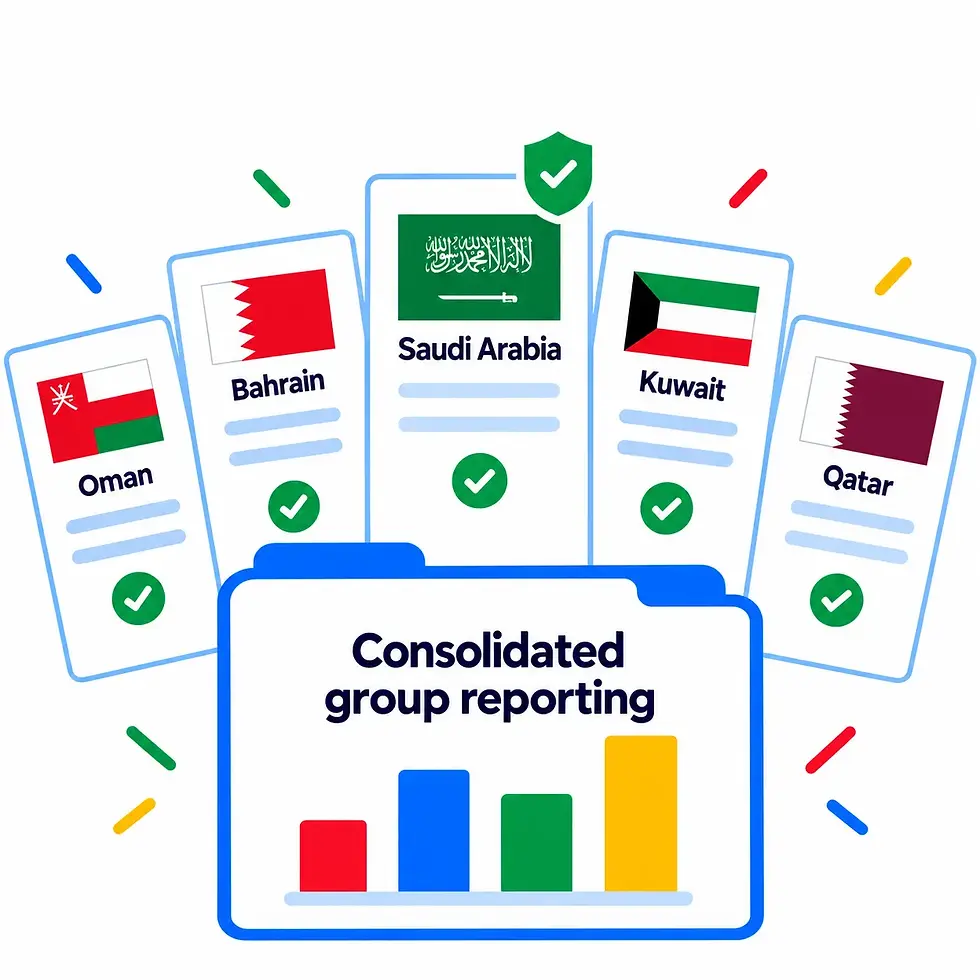
Saudi Arabia, Bahrain, Kuwait, Oman and Qatar
Saudi Arabia has the most demanding e-invoicing regime in the region and Zoho Books is a ZATCA-approved solution for it. The Saudi edition pushes e-invoices in real time to ZACA's Fatoora platform for Phase 2 compliance, stores data in local Saudi data centres for residency requirements, and handles the profit margin scheme for second-hand goods, antiques and collectibles.

Bahrain, Kuwait, Oman and Qatar each have their own edition, all available in English and Arabic.
If you run a GCC group with an entity in Dubai, one in Riyadh and one in Doha, the useful question is not whether an edition exists for each. It is how you keep every entity locally compliant while getting consolidated reporting across the group.
That is an architecture conversation and we would rather have it before you buy anything than after.
[Add a line on any live multi-country GCC client.]
UK, US, Canada, Australia,
Singapore, South Africa, Kenya and more


United Kingdom - VAT and Making Tax Digital, so returns are submitted digitally from the software rather than typed into a portal.
Singapore, South Africa and Kenya - each with a local edition built for local VAT or GST requirements.

United States — sales tax automation across states and jurisdictions, which is the part of US accounting that quietly consumes finance teams.

Mexico, France and Germany - local editions in Spanish, English and German respectively.

Canada - GST, HST and PST handled by province, in English or French.

Global edition - for businesses trading across borders in multiple currencies without a single home tax regime, available in seven languages.

Australia - GST and BAS reporting.
Billing software that also happens to be full accounting
A lot of businesses come to Zoho Books looking for billing software rather than an accounting system.
They want invoices out, payments in, and reminders that chase without anyone having to.
Branded, tax-compliant invoices in your format, in your currency
Recurring invoices and subscriptions billed on schedule
Automated payment reminders, so nobody on your team has to send the awkward email
Online payment links through multiple gateways,
so an invoice can be settled from the mail
A customer portal where clients view statements,
settle bills and raise queries
Quotes and estimates that convert to invoices without re-entry
Retainer invoices, credit notes and early payment discounts
Project and time-based billing for anyone selling hours
Invoice
Bank
Tax return
The difference between this and standalone billing software is what happens after the invoice. The payment reconciles against your bank feed, the revenue lands in your P&L, the tax lands in your return, and none of it needs a second system or a monthly export.
You bought billing software and you got your accounts closed as a side effect.
If your invoices start life as deals rather than as line items, connecting Zoho CRM is the step that removes the re-keying entirely.
Moving to Zoho Books from whatever you run now
Most of our Zoho Books projects are migrations, and migration is where the risk sits.

Historical transactions and opening balances

Chart of accounts and account balances, restructured rather than copied where it needs to be

Tax history, with GST or VAT records intact

Customers, vendors and contacts

Attachments and supporting documents

Outstanding invoices and bills, so your receivables are right on day one
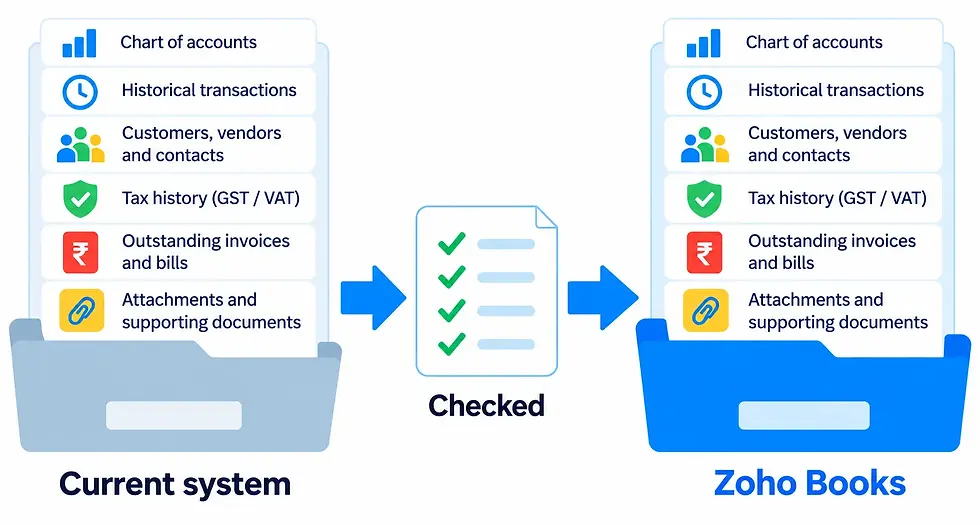
Then we test and reconcile against your old system before you go live. Accounting data has to be correct, so we do not rush this and we do not go live on a difference we cannot explain. Migration is a defined stage of our Zoho implementation process, not something bolted on at the end.
Tally to Zoho Books migration
Tally is what most Indian businesses are leaving, and it is the migration we do most often.
The specific issues: a chart of accounts shaped around Tally's structure, ledger groupings that do not map cleanly, GST history that has to survive the move intact, and inventory valuation that needs to reconcile on both sides.
We handle the mapping rather than dumping a CSV in and hoping. [State how many Tally migrations you have actually completed. If it is a real number, use it.]
QuickBooks, Xero, Busy, Sage and spreadsheets
Each has its own quirks. QuickBooks and Xero migrate reasonably cleanly and mostly need chart-of-accounts decisions. Busy and Sage need more mapping work. Spreadsheets need the most, because there is usually no consistent structure to migrate — that is a rebuild with historical data loaded behind it.
[List only the systems you have genuinely migrated clients from.]

Zoho Books works best connected to everything else

Zoho CRM
a closed deal becomes a quote and then an invoice with the right tax treatment applied automatically, so sales and finance stop reconciling by email.

Zoho Inventory
when stock outgrows what Books handles, Inventory takes over on the same data rather than beside it.

Zoho Payroll
payroll journals post automatically, so month-end closes without a manual JV.

Zoho People
the employee master behind expense claims and reimbursements.

Zoho Expense
receipt capture, approval flows and reimbursements feeding straight into the books.

Zoho Expense
receipt capture, approval flows and reimbursements feeding straight into the books.
Zoho Expense
receipt capture, approval flows and reimbursements feeding straight into the books.
Zoho Expense
receipt capture, approval flows and reimbursements feeding straight into the books.